
ChatTCP for IntelliJ IDEA
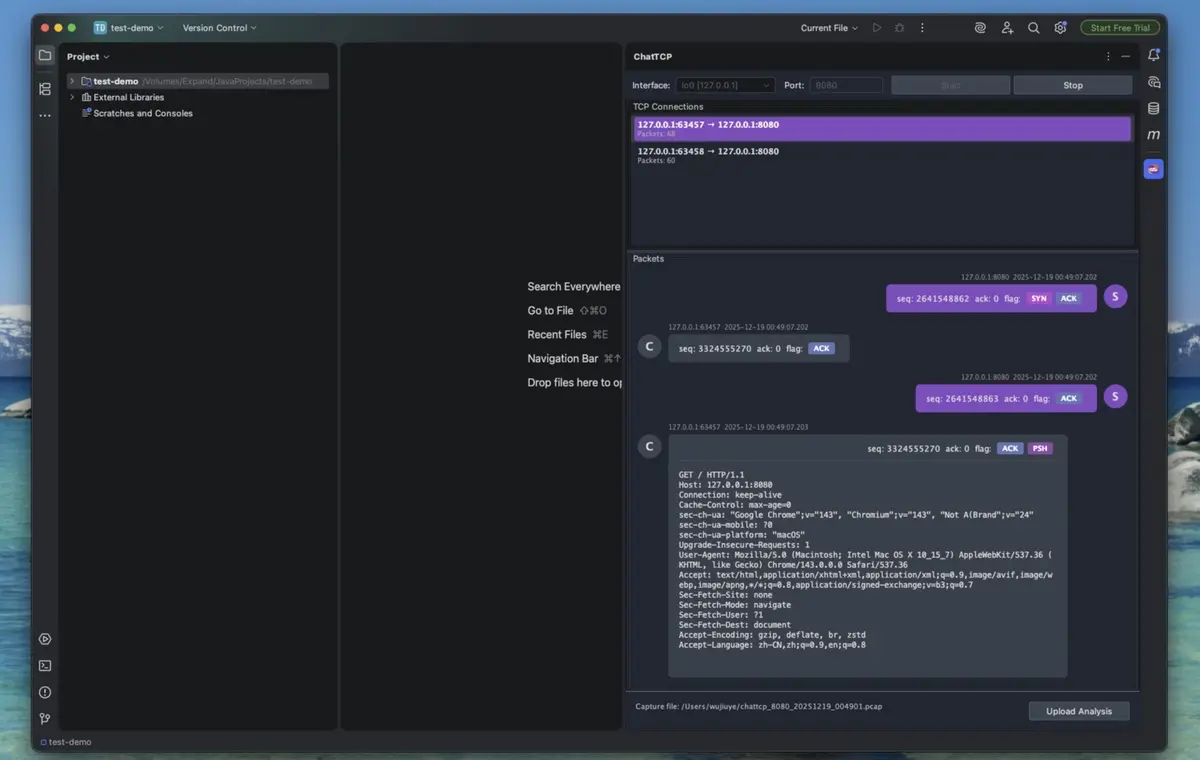
The ChatTCP IntelliJ IDEA plugin enables fast capture and inspection of TCP packets directly within your IDE, significantly improving the efficiency of troubleshooting microservice APIs.
Features
Real-time TCP packet capture and viewing
Chat-style packet display (client/server conversation)
Decoding support only for HTTP/WebSocket protocols
Export captured packets to PCAP files for further analysis
Requirements
macOS
# libpcap is usually pre-installed, if not:
brew install libpcap
Linux (Ubuntu/Debian)
sudo apt-get install libpcap-devLinux (CentOS/RHEL)
sudo yum install libpcap-develUsage Instructions
- Click the ChatTCP icon in the right toolbar
- Select a network interface (e.g., en0, eth0)
- Enter the TCP port to listen on (e.g., 8080, 3000)
- Click the "Start" button to begin capturing
- Select a connection to view from the connection list
- View all packets for that connection below